
Memory Cleaner Plus
Read our comprehensive review of Memory Cleaner Plus to see how this lightweight utility optimizes Windows RAM usage and boosts system performance.
A Hands-On Look at Memory Cleaner Plus
If you have ever noticed your Windows computer stuttering when you open too many browser tabs or launch a demanding application, you are experiencing the limits of your physical RAM. Memory Cleaner Plus RAM optimizer offers an elegant, lightweight solution to this universal problem. Instead of forcing you to restart your system, this utility works quietly in the background to reclaim wasted memory and restore your computer's responsiveness.
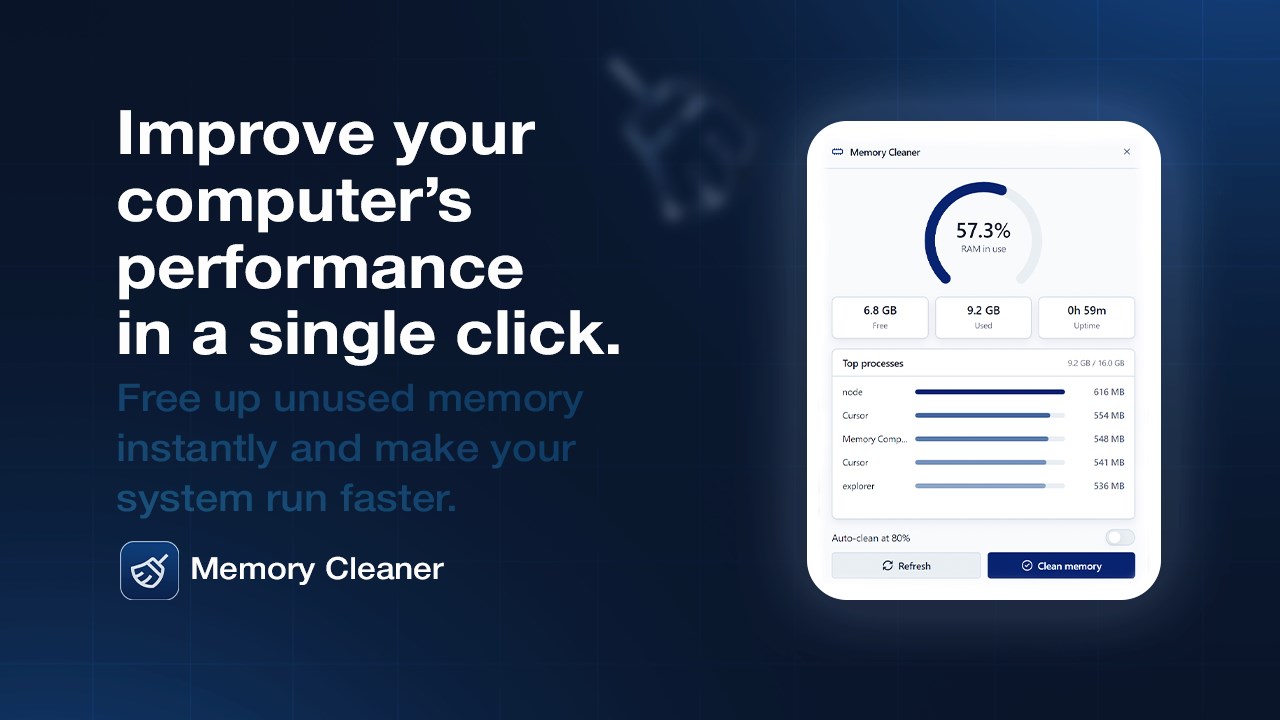
Using the application feels remarkably seamless. The user interface is designed to match the modern aesthetic of Windows 11, featuring clean visual elements and an intuitive layout. Rather than overwhelming you with complex technical jargon, it presents a clear live dashboard showing exactly how your memory is being allocated. With a single click, you can instantly purge cached data and free up system resources.
Key Features of this Windows RAM Optimizer
- Real-Time Memory Monitoring: Keep track of your active, cached, and free memory through a highly visual dashboard and detailed history graphs.
- Automated Background Cleaning: Set your own thresholds so the software automatically flushes idle memory allocations when free RAM drops too low.
- System Tray Integration: Minimize the app to your system tray to monitor performance percentages at a glance and trigger quick cleans with a simple right-click.
- Process Resource Manager: Easily identify memory-hungry background processes and potential memory leaks without opening the heavy Windows Task Manager.
- Game Booster Functionality: Flush system memory before launching resource-intensive games like Roblox, Minecraft, or Fortnite to maximize your frame rates and minimize stuttering.
Who is Memory Cleaner Plus For?
This utility is particularly beneficial for users operating PCs with limited physical memory, such as budget laptops or older desktops. Gamers looking to squeeze every bit of performance out of their hardware will find the pre-game cleaning routine incredibly useful. Additionally, professionals who multitask across heavy web browsers and productivity suites can use the automated threshold cleaning to maintain a consistent workflow throughout the day.
Our Editorial Verdict
Memory Cleaner Plus RAM optimizer stands out because it does exactly what it promises without the bloat. It contains no advertisements, subscription paywalls, or unnecessary background services. It is a highly focused tool that respects your system resources while helping you manage them. If you are ready to improve your PC's multitasking efficiency, head over to the official Microsoft Store to explore the application for yourself.